
NEWS
LATEST NEWS
- 01How to calibrate drone RC controller | Full Step-by-Step Guide
- 02Drone RC Radio Controller: Ultimate Maintenance & Calibration Guide
- 03How to Fix Joystick Drift on Drone RC Controller | Full Guide
- 04WFLY WFX4 Detailed Manual
- 05WFLY WFT08X Detailed Manual
- 06WFLY WFT07 Detailed Manual
- 07Drone RC Controller Battery Replacement | Full Guide
- 08WFLY WFT06II Detailed Manual
- 09WFLY ET16S Detailed Manual
- 010WFLY ET16Pro Detailed Manual

Address:3rd Floor,C1 Buliding,Xiangli Industry Park,Heping Haoye Road,Baoan District,Shenzhen,Guangdong,China.
Zip Code: 518103
Phone: +86 13410681808
E-mail:sale@radiocontrollers.com
NEWS
HOMENEWS
How to Fix Joystick Drift on Drone RC Controller | Full Guide
2026-06-03 17:21:53 View:0Joystick drift is one of the most common and frustrating issues for drone RC controller users. It causes uncontrollable movement, unstable flight, poor precision, and even flight safety risks. Whether you fly for fun, photography, or professional work, fixing joystick drift quickly and safely is an essential skill for every pilot.
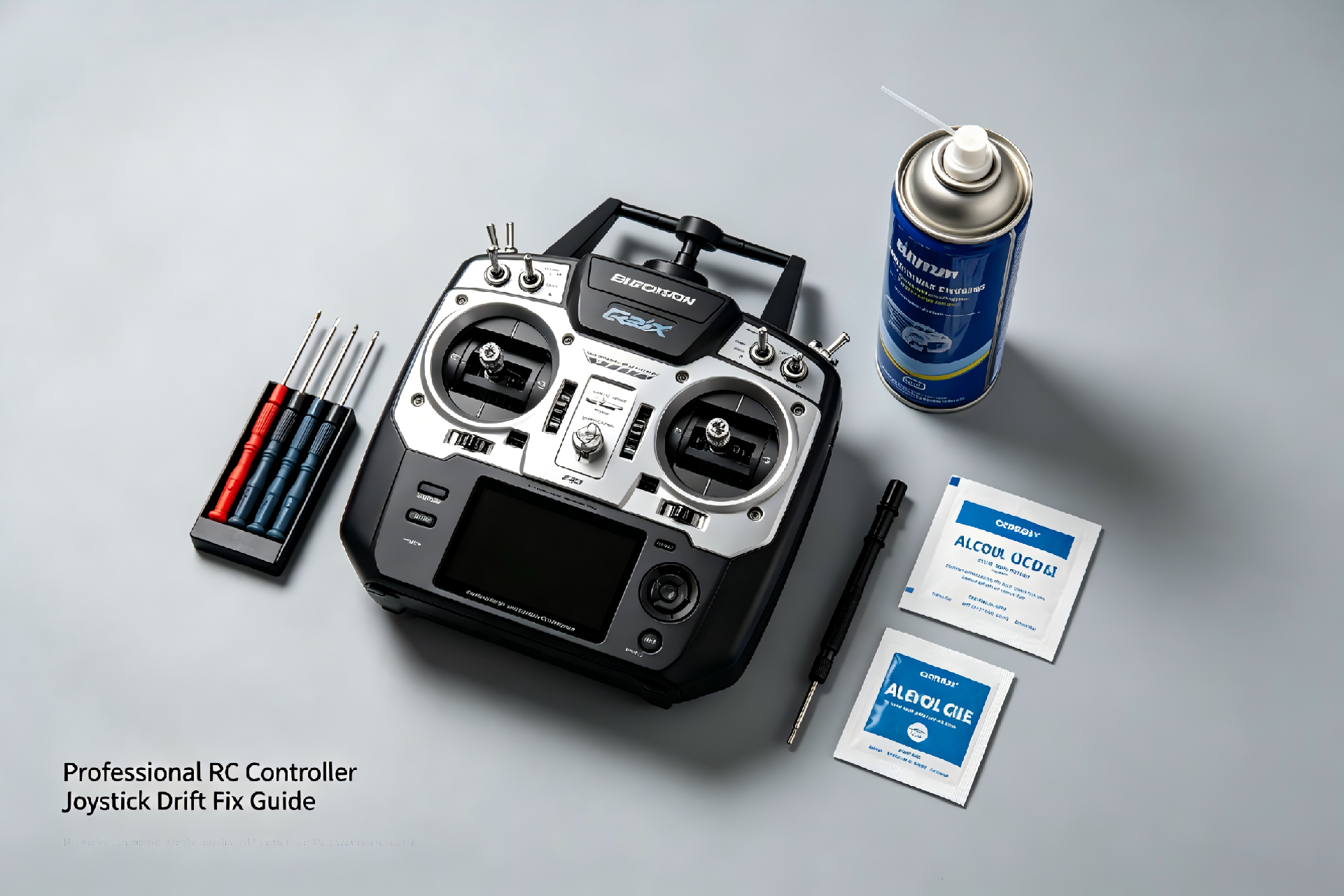
Most joystick drift problems are caused by dust, dirt, internal wear, calibration errors, or moisture. The good news is that 90% of drift issues can be fixed at home without expensive tools or professional repair. This complete guide shows you how to diagnose, fix, and prevent joystick drift permanently.
Table of Contents
1. What Is Joystick Drift & Why It Happens
Joystick drift means your drone or controller moves on its own without you touching the sticks. This happens when the joystick cannot return to the exact center position.
Main causes:
• Dust and dirt inside the potentiometer
• Sweat and moisture corrosion
• Internal mechanical wear and tear
• Incorrect calibration settings
• Physical impact or dropping the controller
• Low-quality or aging joystick modules
Early repair can avoid permanent damage and expensive replacement.
2. How to Diagnose Joystick Drift
Follow these steps to confirm drift:
• Place the controller on a flat, stable surface
• Release both joysticks and let them center naturally
• Check controller UI or app for stick position error
• Observe if the drone moves without input
• Test left/right, up/down, and diagonal movement
• Record drift direction and severity
Accurate diagnosis helps you choose the best fix method.
3. Quick Fix: Clean & Calibrate Joysticks
Most light drift can be fixed in 5 minutes:
1. Power off the controller
2. Use compressed air to blow dust from stick gaps
3. Wipe base with 75% alcohol swabs
4. Rotate joysticks fully 10–15 times
5. Perform standard calibration
6. Test again for drift
4. Deep Repair for Severe Drift
For heavy dust, wear, or long-term drift:
1. Power off and remove the battery
2. Remove joystick caps carefully
3. Clean internal components with alcohol swabs
4. Lubricate if recommended by the manufacturer
5. Reassemble and dry completely
6. Full calibration and function test
5. Full Calibration Step-by-Step
Proper calibration eliminates most drift issues:
1. Connect controller to official app
2. Place controller on level surface
3. Open calibration tool
4. Move joysticks to all extreme positions
5. Return to center and confirm
6. Save settings and test stability
7. Re-calibrate if drift remains
Professional standard: error rate within ±0.1% – ±0.5%.
6. When to Replace Joystick Modules
Replace if:
• Drift remains after cleaning and calibration
• Joystick feels loose, stiff, or sticky
• Physical damage to the module
• Severe internal wear
• Controller is over 1–2 years old with heavy use
Always use original or high-quality replacement modules.
7. How to Prevent Joystick Drift
| Action | Frequency | Purpose |
|---|---|---|
| Clean joysticks | Weekly | Remove dust & sweat |
| Calibrate | Every 1–3 months | Maintain center position |
| Use protective case | Always store | Prevent dust entry |
| Avoid dropping | Daily use | Protect internal parts |
8. Frequently Asked Questions
Can cleaning fix joystick drift?
Yes, cleaning removes dust and is the most effective solution for most drift cases.
How often should I calibrate joysticks?
Every 1–3 months, or after cleaning, dropping, or long storage.
Is joystick drift permanent?
No, most drift is repairable. Only severe module damage requires replacement.
Can I use water to clean joysticks?
No. Use 75% isopropyl alcohol only to avoid circuit damage.
Do I need professional repair?
Only if replacement is needed. Most drift can be fixed at home.
Fixing joystick drift is easy, fast, and cost-effective. With regular cleaning, calibration, and care, you can keep your controller stable and precise for years. Follow this guide to eliminate drift and enjoy safe, smooth flights every time.
RadioControllers provides original joystick modules, repair parts, and expert support for drone RC systems worldwide.
Recommend